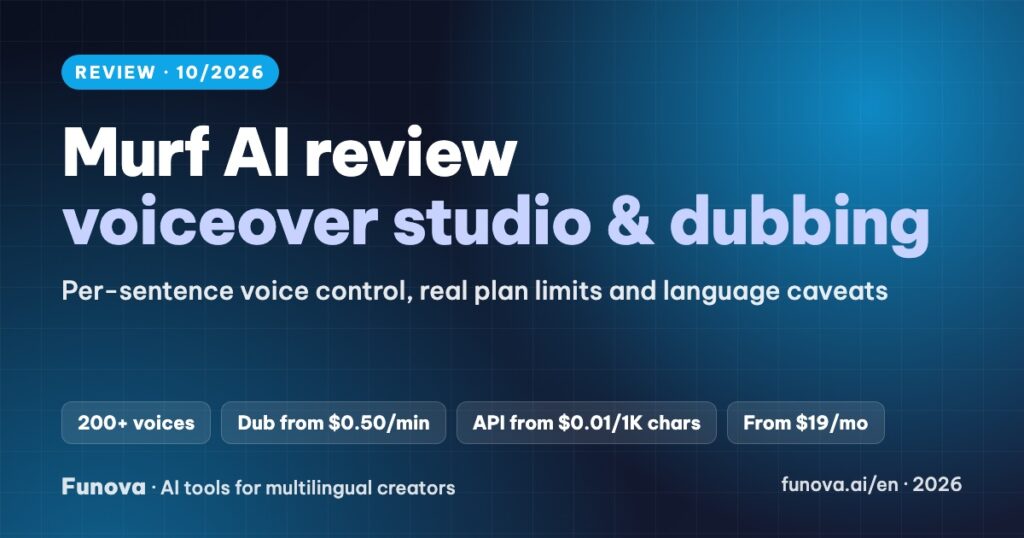
Murf AI is a voiceover studio built for people who want control. You paste a script, pick from 200+ voices, then adjust speed, pitch, pauses and pronunciation sentence by sentence, and line the voice up with slides or video in the same editor. It also dubs existing videos and sells a low-cost text-to-speech API. This review covers what each plan really includes, the language caveats that matter for non-English creators, and who Murf is the right choice for.
Some links in this review are affiliate links. We may earn a commission if you sign up through them, at no extra cost to you. Plans, limits and language support were checked on Murf’s pricing page, help center, API voice library and terms on October 6, 2026. We have not used Murf in our own videos yet, so this review gives no score. Some of Murf’s own pages disagree with each other; we note where.
Verdict
- Best for: training, explainer, e-learning and product videos in English and other major languages, where you want to fine-tune every line.
- Standout: the block-by-block studio. Regenerating the same text with a different voice, speed or pitch does not use up your voice minutes.
- Watch out for: no self-serve voice cloning (Enterprise only), the free plan cannot download or be used commercially, and some languages are spoken only by non-native multilingual voices.
- Price: free plan with 10 minutes of voice generation. Paid plans from $29/month, or $19/month billed yearly.
What Murf does
- Murf Studio (text to speech): 200+ voices in about 35 languages. Each block of text can have its own voice, speed, pitch, pauses and custom pronunciations, and a pronunciation library saves your fixes for reuse.
- Voice plus visuals: import images, video, slides and background music, sync the voice to each scene on a timeline, and export Full HD video or audio only.
- Murf Dub: translates and dubs existing videos into 40+ languages, billed by usage at about $0.50 per minute per language.
- API: the fast Falcon model costs $0.01 per 1,000 characters and the higher-quality Gen2 model $0.03 per 1,000 characters, with $10 of free credit each month.
- Integrations: Canva on every paid plan; PowerPoint and Google Slides from Business.
Pricing
| Plan | Monthly | Billed yearly | Voice generation | Notable limits |
|---|---|---|---|---|
| Free | $0 | – | 10 minutes in total | No downloads, no commercial use |
| Creator | $29 | $19/mo ($228/yr) | 2 hours a month (24 hours a year) | Commercial rights; Canva integration |
| Business | $99 | $66/mo ($792/yr) | 8 hours a month (96 hours a year) | Adds emphasis and variability controls, PowerPoint and Google Slides |
| Enterprise | Custom | Unlimited | AI translation, project sharing, custom voice clones | |
Voice minutes are used only when you generate new or edited text. Changing the voice, speed, pitch or pauses on text you already generated is free. Murf recommends Business for registered companies rather than Creator. Prices exclude tax.
Language support: read this before you pay
Murf advertises around 35 languages for text to speech and 40+ for dubbing; different pages give different totals. The quality varies a lot by language. English, Spanish, French, German and Portuguese have many native voices. Some newer languages are covered only by Murf’s multilingual voices, which are native speakers of another language reading your script.
Vietnamese is a clear example. Murf’s Vietnamese landing page promises male and female voices in every regional accent, but its official API voice library lists Vietnamese only for multilingual voices originally recorded in English, German, Chinese or Hindi, with no native Vietnamese voice and no northern or southern accent option. If your channel is in a language like this, use the free minutes to test your own script before buying. For Vietnamese voiceovers, we explain the alternatives in our best AI dubbing tools comparison.
Murf Dub vs other dubbing tools
At about $0.50 per dubbed minute per language, Murf Dub costs roughly the same as ElevenLabs dubbing, which we measured at about $0.50 per minute on the Creator plan in our YouTube dubbing case study. ElevenLabs keeps the speaker’s own voice; Murf dubs with its stock voices, and lip sync is listed as coming soon. If your videos show your face, HeyGen adds lip sync at a similar price.
Commercial use, refunds and payment
- Paid plans: commercial use is allowed, including monetized YouTube videos, as long as the script is yours.
- Free plan: for testing only. You cannot download audio or use it commercially.
- Refunds: Murf’s terms allow a refund only within 24 hours of purchase and if you have used less than 10 minutes of voice generation. Test on the free plan first.
- Payment: Visa, Mastercard, American Express, Discover and JCB through Stripe. PayPal is not accepted.
Pros and cons
| Pros | Cons |
|---|---|
| Fine control over every sentence: speed, pitch, pauses, pronunciation | No self-serve voice cloning; custom voices are Enterprise only |
| Voice, slides and video in one editor; Canva integration | Some languages have no native voices |
| Re-generating edited settings does not use voice minutes | Free plan cannot download or be used commercially |
| Cheap API and pay-as-you-go dubbing | Strict refund window; no PayPal |
Who should choose Murf
- Course creators and trainers: Creator covers about two hours of finished narration a month and keeps the editing workflow simple.
- Teams producing slides and product demos: Business, for PowerPoint and Google Slides integration and finer emphasis control.
- Creators who want their own voice in other languages: choose ElevenLabs instead, because Murf does not clone voices on self-serve plans.
FAQ
Can I use Murf voices on a monetized YouTube channel?
Yes, on a paid plan and with your own script. The free plan does not include commercial rights.
Does Murf clone my voice?
Only on the Enterprise plan, through Murf’s team. There is no self-serve voice cloning.
How many minutes does the Creator plan include?
Two hours of voice generation a month, or 24 hours a year on yearly billing. Tweaking already generated text does not count again.
Does Murf support Vietnamese?
Yes, but its official voice library lists Vietnamese only for multilingual voices from other languages. Test with your own script before paying.