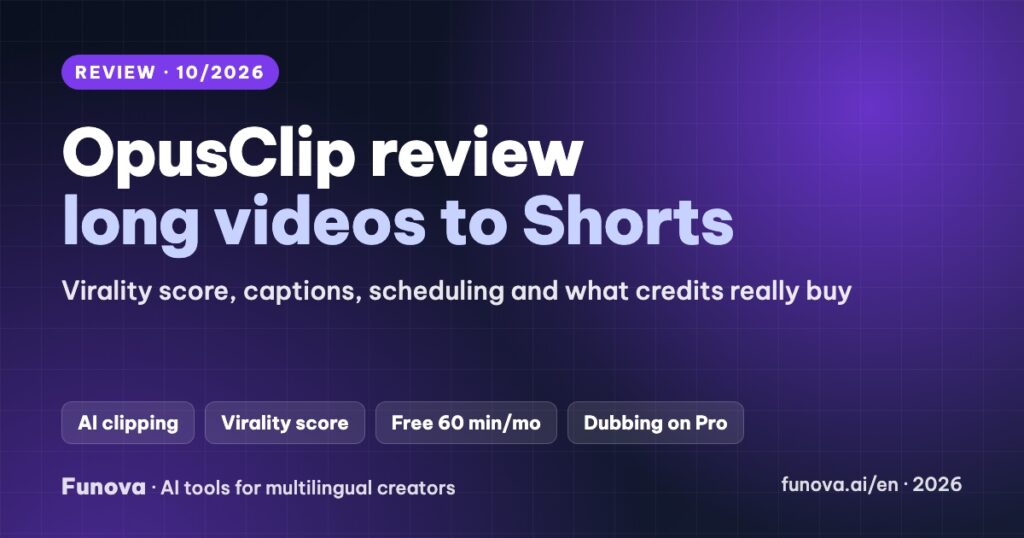
OpusClip turns a long video, such as a podcast, webinar or YouTube tutorial, into a batch of short clips for Shorts, Reels and TikTok. It picks the moments, reframes them to vertical, adds animated captions, scores each clip’s viral potential and can post them for you. This review explains how it works, what the credit-based plans buy, how well it handles languages other than English, and the limits to know before paying.
Some links in this review are affiliate links. We may earn a commission if you sign up through them, at no extra cost to you. Plans, limits and features were checked on OpusClip’s official pricing page and help center on October 6, 2026. We have not used OpusClip on our own channel yet, so this review is based on OpusClip’s documentation and gives no score. Some OpusClip pages disagree with each other; we note where.
Verdict
- Best for: creators and podcasters who publish long videos and want a steady stream of short clips without editing by hand.
- Standout: clip selection with a 0–99 virality score, auto-reframing, captions and scheduling to nine platforms in one workflow. Pro adds AI dubbing into 25 languages.
- Watch out for: Vietnamese and Indonesian are still beta for captions, caption translation only goes into English, and the free plan is watermarked and non-commercial.
- Price: free plan with 60 minutes a month. Starter $15/month; Pro $29/month or $14.50/month billed yearly.
How OpusClip works
- Upload or paste a link to a long video (up to 10 hours).
- Clipping: ClipAnything finds moments by prompt and visuals, and ClipBasic works from the speech. Each clip gets a virality score from 0 to 99 based on hook, flow, value and trends (Starter and Pro).
- Reframe and captions: clips are cropped to vertical with the speaker tracked, and get animated captions with emojis and keyword highlights.
- Polish: edit words and timing, add B-roll, remove filler words and pauses, generate a hook, title, description and hashtags.
- Publish: download, export XML to Premiere or DaVinci, or post and schedule directly.
Pricing
| Free | Starter | Pro | |
|---|---|---|---|
| Price | $0 | $15/month (monthly only) | $29/month, or $14.50/month billed yearly |
| Credits (1 credit = 1 minute of source video) | 60 per month | 150 per month | 300 per month (3,600 a year upfront on yearly) |
| Watermark | Yes | No | No |
| Export | 1080p, 9:16 only | Highest available, 9:16 | Up to 4K, 9:16, 1:1 and 16:9 |
| Clip storage | 3 days | About 30 days | 100 GB |
| Virality score, editing | No | Yes | Yes |
| Posting | – | Post to YouTube, TikTok, Instagram | Post and schedule to 9 platforms |
| Extras | – | Limited B-roll | AI B-roll, SRT download, dubbing, team seats, API (beta) |
A Business plan with custom pricing adds more credits and 4K posting. Monthly credits roll over for about one extra month; yearly credits expire after 12 months. Uploads can be up to 10 GB (30 GB on Pro). 4K needs a true 4K source: OpusClip does not upscale.
What 300 credits mean
Credits are counted on the source video, not the clips. A weekly 60-minute podcast uses about 240 credits a month, so it fits in Pro. Starter’s 150 credits cover about two hour-long videos a month.
Languages: check before you pay
- Captions: OpusClip lists 25 languages. Vietnamese, Indonesian and many others are marked beta, and OpusClip warns that emojis and highlighted keywords “may” be inaccurate in those. Spanish and Portuguese are not beta. An older FAQ page lists only 21 languages without Vietnamese, so test your language first.
- Caption translation: into English only.
- AI dubbing (Pro and Business): dubs clips into 25 languages, including Vietnamese and Indonesian, at 10 credits per minute, with automatic voice cloning. If several people speak, all of them get the main speaker’s voice, and editing the transcript afterwards does not regenerate the audio.
For a tool that confirms Vietnamese captions without a beta label, see Submagic, or our caption tools comparison.
Captions and caption files
Captions come with animated templates, emojis and keyword highlights on every plan, plus speaker-based colors and custom fonts. You can edit words and timing, upload your own SRT, and on Pro download the source video’s subtitles as SRT.
Apps, integrations and API
- iOS app, without B-roll, AI enhance, bulk export or scheduling.
- Zapier integration on Pro and Enterprise. API on Pro (beta, capped) and higher. OpusClip also offers a connector for Claude and other AI assistants.
Free plan, trial and refunds
- Free plan: 60 credits a month, watermark, no editing, clips available for 3 days, and personal, non-commercial use only.
- Trial: a 7-day Pro trial that then becomes Free. Trial exports are watermarked and posting is disabled.
- Refunds: subscription fees are not refundable. On Pro you can get a project’s credits back within 14 days if you have not downloaded any clip, and credits return automatically if a project fails.
- Commercial use: allowed on paid plans.
Pros and cons
| Pros | Cons |
|---|---|
| Turns one long video into many clips with little effort | Vietnamese and Indonesian captions still beta |
| Virality score helps pick what to post first | Caption translation only into English |
| Posting and scheduling to 9 platforms on Pro | Free plan is watermarked and non-commercial |
| Pro adds dubbing into 25 languages and 4K | Dubbing gives every speaker the same voice |
Which plan should you choose?
- Testing on your own content: the 7-day Pro trial, then decide.
- One or two long videos a month, posting to the big three platforms: Starter.
- A weekly podcast or long YouTube videos, scheduling, or dubbing: Pro. Yearly billing halves the monthly price.
OpusClip or Submagic?
Pick OpusClip if you start from long videos and want the tool to find and post the clips. Pick Submagic if you already film short videos and want the best-looking captions and edits, or if your language is in beta on OpusClip. Read our Submagic review for details.
FAQ
Does OpusClip support Vietnamese?
Yes, in beta for captions. OpusClip warns that emojis and highlighted keywords may be inaccurate in beta languages. Its dubbing feature (Pro) can also output Vietnamese.
How are OpusClip credits counted?
One credit per minute of the source video you upload, whatever the number of clips. Posting to X costs 3 credits per clip.
Can I use OpusClip clips on a monetized channel?
Yes, on a paid plan. Free-plan clips are for personal, non-commercial use.
Can OpusClip translate captions into Spanish?
No. Caption translation goes into English only. For other languages, use its dubbing feature on Pro, or a caption tool that translates subtitles.