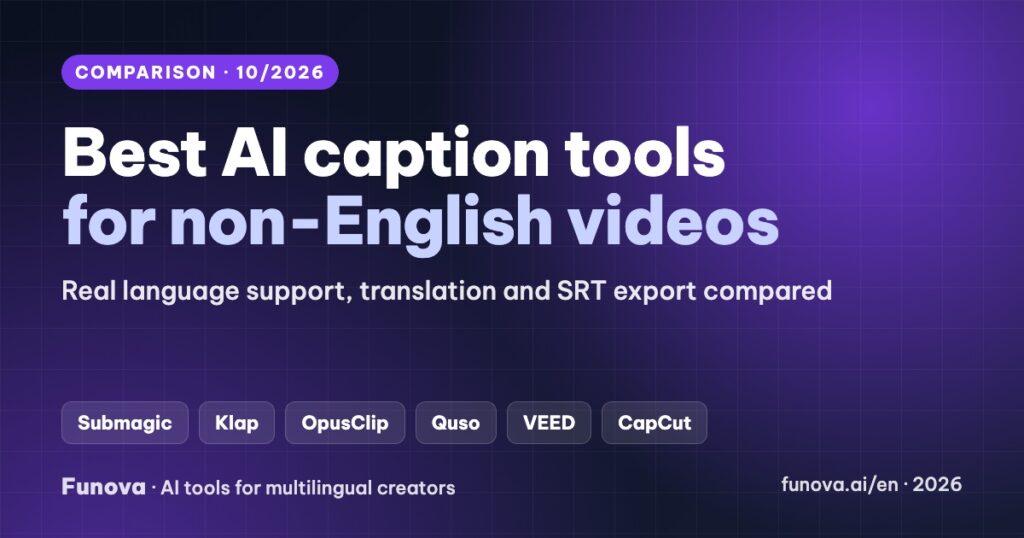
Most AI caption tools are built and tested in English. If your videos are in Vietnamese, Indonesian, Spanish or Portuguese, the questions change: is your language supported at all, is it still in beta, can the tool translate captions, and can you export subtitle files for YouTube? This comparison checks seven options from that angle, for two jobs creators actually have: styled captions burned into Shorts, Reels and TikToks, and caption files (SRT) in several languages for YouTube.
Some links in this article are affiliate links. We may earn a commission if you sign up through them, at no extra cost to you. Plans and language support were checked on each provider’s official pricing and help pages on October 5, 2026. Accuracy percentages are the vendors’ own claims, not our measurements. Vendors often list different language counts on different pages; we note where.
Quick picks
- Free baseline: YouTube’s automatic captions, which support Vietnamese, Indonesian, Spanish and Portuguese, plus viewer-side auto-translate.
- Styled captions for short videos in a non-English language: Submagic. Vietnamese is officially supported, from $12/month billed yearly.
- Clips plus captions from long videos: Klap (52 languages, Vietnamese included). OpusClip is excellent in English but marks Vietnamese and Indonesian as beta.
- Translated subtitle files for YouTube: VEED Pro, which translates captions into 50+ languages and exports SRT and VTT.
Two different jobs
- Burned-in captions for Shorts, Reels and TikTok: animated words, highlighted keywords and emojis, baked into the video. The language must be transcribed well, because viewers cannot turn the text off.
- Caption files for YouTube: an SRT per language uploaded in YouTube Studio (Subtitles → Add language → Upload file). These help viewers and search in each language, and they can be switched on or off.
Some tools do one job well and the other poorly, so decide which one you need first.
Comparison table
| Tool | Vietnamese transcription | Caption translation | SRT export | Cheapest paid plan | Free plan |
|---|---|---|---|---|---|
| YouTube | Yes | Viewer-side auto-translate | Captions stay on YouTube | Free | Yes |
| Submagic | Yes (vendor page) | Yes, on higher plans* | Yes* | $19/mo ($12 yearly), 15 videos | Trial |
| Klap | Yes (52 languages) | Not confirmed | Not confirmed | $29/mo ($14 yearly), 100 clips | 1 video |
| OpusClip | Beta | Into English only | Pro | $15/mo, 150 min | 60 min/mo, watermark |
| Quso | Yes (vendor page) | Conflicting info | Paid plans | $29/mo ($19 yearly) | 75 credits/mo, 720p |
| VEED | Not confirmed in docs | 50+ languages, Pro | SRT, VTT, TXT* | $20/mo ($10 yearly) | 720p, watermark |
| CapCut | Third-party reports only | Yes (desktop) | SRT, TXT | Pro $19.99/mo (varies by region) | Auto captions may require Pro |
* Advertised by the vendor, but the plan that includes it was not clear on the official pages we checked.
1. YouTube automatic captions: start here
YouTube generates captions automatically in many languages, including Vietnamese, Indonesian, Spanish and Portuguese, and viewers can turn on Auto-translate to read them in another language. It costs nothing and needs no export. Limits: captions only appear in the video’s original language unless the viewer chooses auto-translate, quality “may vary” by YouTube’s own wording, and there are no styled captions for short-form video.
Tip: correct the automatic captions in YouTube Studio for your top videos. Fixed captions improve every auto-translated language at once.
2. Submagic: styled captions with official Vietnamese support
Submagic is built for short-form: animated caption templates, keyword highlights, emojis, auto B-roll and zooms. Its Vietnamese page confirms Vietnamese transcription and claims 99.5% accuracy (vendor claim). Submagic lists caption translation as a plan feature and advertises one-click SRT export.
- Price: Starter $19/month ($12 billed yearly) for 15 videos of up to 2 minutes. Pro $39 ($23 yearly) for 40 videos of up to 5 minutes with premium templates. Business $69 ($41 yearly) for 100 videos of up to 30 minutes and 4K/60fps. No watermark on paid plans.
- Limits: the per-video length caps matter. Starter is for clips under 2 minutes.
3. Klap: clips and captions from long videos
Klap cuts long videos into short clips with captions and supports 52 languages, Vietnamese included. It suits creators who publish long YouTube videos and want Shorts from them without editing by hand.
- Price: Basic $29/month ($14 billed yearly) for 100 clips. Pro $79 ($39 yearly) for 300 clips. You can test one video free.
- Not confirmed on its pricing page: SRT export and caption translation. Test them in the trial if you need them.
4. OpusClip: strong in English, beta elsewhere
OpusClip’s captions with emojis and keyword highlights are available even on the free plan. It supports 25 languages, but Vietnamese, Indonesian and many others are labelled beta, and OpusClip warns that emojis and highlighted keywords may be inaccurate in those languages. Caption translation only goes into English.
- Price: free with 60 processing minutes a month (watermark, 9:16 only). Starter $15/month for 150 minutes. Pro $29/month for 300 minutes, with SRT download and 4K export.
- Best for: English videos, or non-English creators who mainly want English captions.
5. Quso: an all-in-one clipper
Quso (formerly vidyo.ai) clips, captions and schedules posts. Its pages mention Vietnamese transcription and caption support in 100+ languages, but also say its transcription tool has no translation feature, so test translation before relying on it. SRT files can be downloaded on paid plans.
- Price: free with 75 credits a month (about 75 minutes, 720p). Lite $29/month ($19 yearly), with higher tiers at $39 and $49.
6. VEED: translated subtitle files
VEED is a browser video editor with automatic subtitles and a subtitle translator. Creator includes unlimited auto subtitles (fair use, 50 hours a month). Translation into 50+ languages starts on Pro and uses your plan’s minutes. Subtitles download as SRT, VTT or TXT, which is exactly what YouTube needs. VEED claims 99.9% accuracy (vendor claim).
- Price: Creator $20/month ($10 billed yearly). Pro $44/month ($21 yearly). Free exports are 720p with a watermark.
- Check first: we could not confirm Vietnamese in VEED’s help docs, only on a tool page. Test a short clip.
7. CapCut: captions inside a full editor
CapCut’s auto captions, bilingual captions and caption translation live inside a full editor that many creators already use, and captions export as SRT or TXT. Two caveats: CapCut’s own pages give different counts of recognized languages (20+ to 30+), and its comparison article now lists the auto caption generator as a Pro tool (Pro is about $19.99/month, varying by region). We used CapCut for editing in our Claude + CapCut workflow video; check in the app whether auto captions are free in your region.
How to test accuracy in your language
- Pick a 1-minute clip with names, numbers and jargon from your niche.
- Run it through two or three tools on free plans or trials.
- Count the words you need to fix. In tonal languages like Vietnamese, also check diacritics: a missing tone mark changes the word.
- Choose the tool with the fewest fixes, not the highest advertised accuracy.
Recommended setups
- Long YouTube videos in your language: YouTube auto-captions, corrected for your top videos. Add translated SRTs (VEED Pro) for your most important markets.
- Shorts and Reels in a non-English language: Submagic for styled captions, or Klap if you start from long videos.
- English-first content: OpusClip for clips and captions.
- Dubbing as well as captions: see our best AI dubbing tools comparison and the YouTube auto-dubbing guide.
FAQ
Does YouTube auto-caption Vietnamese videos?
Yes. Vietnamese is on YouTube’s list of automatic caption languages, and viewers can auto-translate those captions into other languages.
Which caption tool is best for Vietnamese?
Among the tools here, Submagic, Klap and Quso confirm Vietnamese on their official pages. OpusClip supports it in beta. Test a short clip with your own vocabulary before paying.
How do I add subtitles in several languages to a YouTube video?
Export an SRT file per language from a tool like VEED, then in YouTube Studio open the video → Subtitles → Add language → Upload file.
Are vendor accuracy claims reliable?
Treat them as best-case figures, usually measured in English with clear audio. Your accuracy depends on language, accent, audio quality and vocabulary.