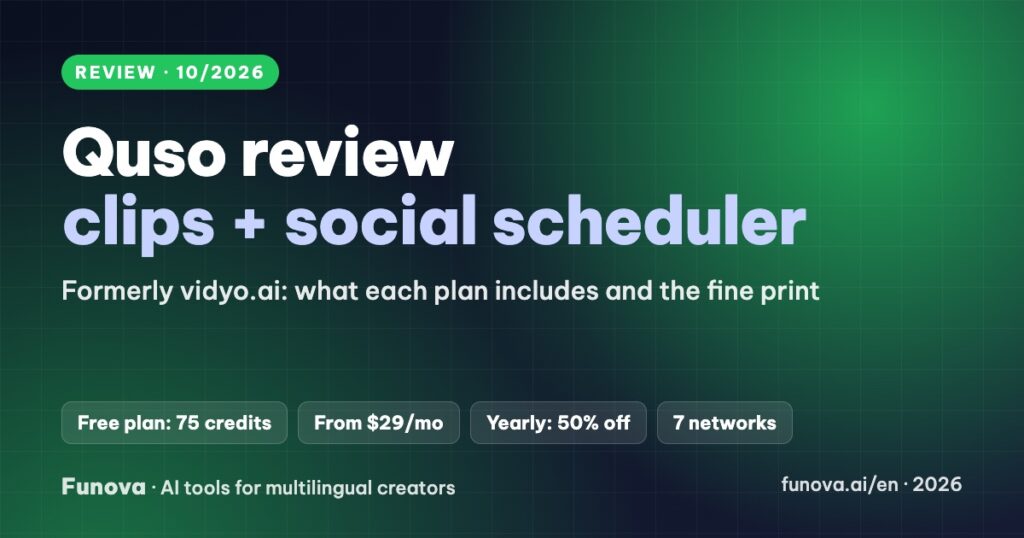
Quso.ai pricing in short: a free plan with 75 credits a month at 720p, then Lite at $29/month, Essential at $39 and Growth at $49, or $174, $234 and $294 a year on yearly billing, which Quso shows at 50% off (prices checked October 20, 2026). One credit is roughly one minute of uploaded video. Quso, the tool formerly called vidyo.ai, cuts long videos into short captioned clips and, from Essential, plans and schedules them to seven networks from one calendar, so it suits solo creators and agencies that both clip and post. This review explains what each plan really includes, how the credits work, what we could and could not confirm about languages other than English, and who Quso fits better than a pure clip tool.
Some links in this review are affiliate links. We may earn a commission if you sign up through them, at no extra cost to you. Prices and plans were re-checked on Quso’s official pricing page on October 20, 2026; other limits and policies were checked on its help center on October 8, 2026. Old vidyo.ai links now redirect to quso.ai. Some of Quso’s own pages disagree with each other; we note where. We have not used Quso on our channel yet, so this review gives no score.
Verdict
- Best for: solo creators, small teams and agencies who want clipping and social scheduling in one tool, instead of a clip maker plus a separate scheduler.
- Standout: a scheduler and content planner for TikTok, YouTube, Facebook, Instagram, LinkedIn, X and Pinterest, starting on the Essential plan.
- Watch out for: the cheapest paid plan posts to TikTok only, there is no API, and the help center lists all plans as non-refundable.
- Price: free plan with 75 credits (720p, watermark). Paid plans from $29/month, or $174/year (about $14.50/month).
Quso.ai pricing (checked October 20, 2026)
Prices in USD from quso.ai/pricing, monthly and yearly billing. Quso shows yearly prices as a total per year; the monthly equivalents are our calculation.
| Plan | Monthly | Billed yearly | Credits a month | Storage | Notes |
|---|---|---|---|---|---|
| Free | $0 | – | 75 | – | 720p, watermark, TikTok publishing only, 7-day retention |
| Lite | $29 | $174/yr (≈$14.50/mo) | 100 | 10 GB | Clips without watermark; TikTok publishing |
| Essential | $39 | $234/yr (≈$19.50/mo) | 300 | 25 GB | Scheduler for 7 networks |
| Growth | $49 | $294/yr (≈$24.50/mo) | 600 | 75 GB | Brand kit and unlimited branded templates |
One credit is roughly one minute of uploaded video, and the pricing page lists the same credits for monthly and yearly billing. Yearly billing saves 50% (it used to double the credits instead), which makes Essential yearly (300 credits for about $19.50/month) the best value if you post often. On October 20, 2026 the pricing page presented this as a Halloween offer for new yearly purchases, ending November 1, 2026 (11:59 PM IST), with the 50% kept at each renewal while you stay subscribed; check the page again before you buy, because yearly prices may change after that date. Paid plans accept files up to 15 GB and export at 1080p or higher. Quso does not publish a maximum video length.
What Quso does
- AI clips: upload a video longer than 3 minutes and Quso picks the strongest moments, scores them for virality, reframes them to 9:16, 1:1 or 16:9 and adds word-by-word animated captions.
- Editing helpers: filler-word and silence removal, an AI B-roll library and brand templates.
- Social suite: a scheduler, a content planner, social analytics, AI-written post captions and an AI assistant called Viddy.
- Extras: an AI video generator. There are no avatars, and Quso’s FAQ says there is no public API “at the moment”.
Languages: what we could confirm
Quso advertises “50+” languages on one page and “100+” on another, and its help center has no language list; it only asks you to pick the right language when you upload. Quso has subtitle-generator pages for Vietnamese, Spanish and Portuguese, but we could not confirm how well the clip-picking engine works in those languages. If your videos are not in English, run one upload on the free plan and check the captions and the chosen moments before paying. For a tool with a published language list, see our OpusClip review.
Refunds, cancellation and payment
- Refunds: Quso’s current FAQ lists monthly and annual plans as non-refundable. An older version mentioned a 72-hour refund for unused annual plans, so ask support before buying a year.
- Cancellation: cancel any time; the plan runs until the end of the billing period.
- Payment: Quso does not list payment methods publicly; prices are shown in your local currency.
- Commercial use: we found no published terms page that covers free-plan output, so use a paid plan for client or monetized work.
Pros and cons
| Pros | Cons |
|---|---|
| Clipping and a 7-network scheduler in one subscription | Lite posts to TikTok only |
| Yearly billing saves 50% | No public API |
| Filler-word removal, B-roll and AI post captions included | All plans listed as non-refundable |
| Generous free plan (75 credits) | No published language list or maximum length |
Who should choose Quso
- You post clips to several networks every week: Essential, ideally yearly, replaces a separate scheduler.
- You only need clips for TikTok: Lite is enough.
- You want the strongest clip engine or an API: compare OpusClip, Klap and Vizard in our best AI clip tools guide.
- Captions are your main need: see Submagic and our best AI caption tools.
FAQ
Is Quso the same as vidyo.ai?
Yes. vidyo.ai was renamed Quso, and old vidyo.ai links redirect to quso.ai.
Does Quso have a free plan?
Yes: 75 credits a month at 720p with a Quso watermark, TikTok publishing only, and files kept for 7 days.
Which networks can Quso post to?
From the Essential plan: TikTok, YouTube, Facebook, Instagram, LinkedIn, X and Pinterest. The free and Lite plans publish to TikTok only.
Can I get a refund?
Quso’s FAQ says plans are non-refundable. Test on the free plan first.