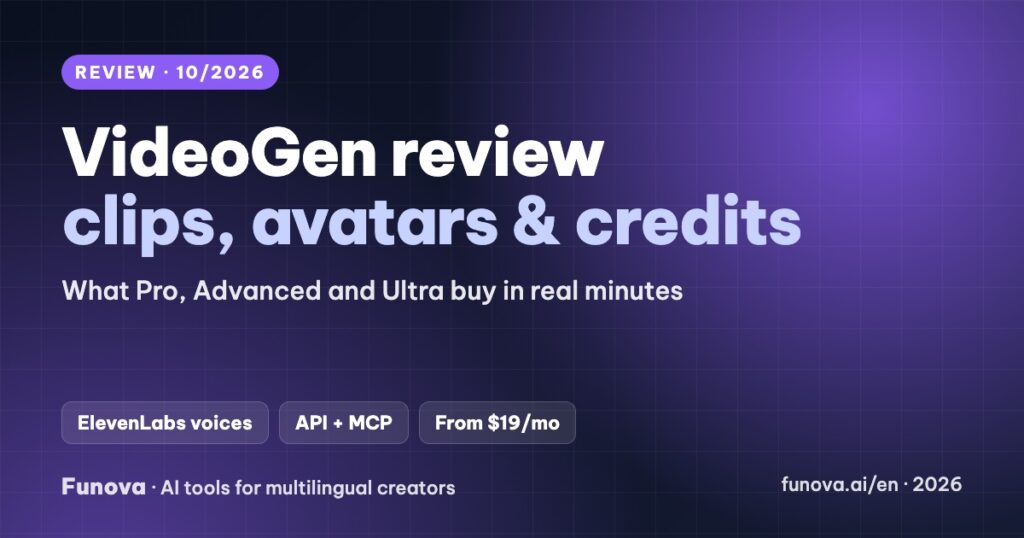
VideoGen builds videos from a script, a storyboard, a voice-over, slides or a short creative brief. It pulls in web images, AI images and generative video clips from models such as Kling and Seedance, adds AI avatars and ElevenLabs voices, and exports up to 4K. This review explains how its credit system translates into real minutes, what each plan includes, what we could not confirm about languages, and who it fits better than a stock-footage tool.
Some links in this review are affiliate links. We may earn a commission if you sign up through them, at no extra cost to you. Plans, credit costs and policies were checked on VideoGen’s pricing page, rate card, help center and terms on October 9, 2026. Some VideoGen pages show different prices or language counts; we note where. We have not used VideoGen on our channel yet, so this review gives no score.
Verdict
- Best for: marketers and creators who want generative clips and avatars in the same editor, plus an API, without stitching several tools together.
- Standout: one credit pool covers still-image videos, avatars and generative clips, and exports up to 1080p cost no credits.
- Watch out for: the free plan cannot export, generative video uses credits fast, all purchases are non-refundable, and Vietnamese voices are not confirmed.
- Price: from $29/month, or $19/month billed yearly.
What VideoGen does
- Workflows: script, storyboard, voice-over, slides (PPT) or a creative brief to video, plus prompt to video clip.
- Visuals: web image search, AI images, generative video clips (models such as Seedance and Kling) and AI avatars.
- Voices: ElevenLabs Turbo v2.5, Multilingual v2 and v3, with 205 curated ElevenLabs voices, plus voice cloning.
- Translate: Remix → Translate Project translates narration, captions and on-image text of a VideoGen project. It is not a dubbing tool for videos you filmed elsewhere.
- Developer access: an API and MCP access on every paid plan.
Pricing
| Plan | Monthly | Billed yearly | Credits a month | Roughly buys | Storage |
|---|---|---|---|---|---|
| Free | $0 | – | Trial | Create only; exporting needs a paid plan | – |
| Pro | $29 | $19/mo | 6,000 | ~37 min still-image, ~7 min avatar or ~4 min generative video | 15 GB |
| Advanced | $59 | $39/mo | 18,000 | ~112 / ~23 / ~12 min | 100 GB |
| Ultra | $149 | $99/mo | 60,000 | ~375 / ~78 / ~41 min | 2 TB |
Extra credits cost $1 per 100 and roll over; plan credits reset each month. Exports at 480p, 720p and 1080p are free, while 4K costs 2 credits per second. VideoGen does not publish a maximum video length. The watermark and “Made with VideoGen” end screen are optional checkboxes at export.
Languages: what we could confirm
VideoGen’s pages say its voices and translation cover “40+” languages in some places and “70+” with Eleven v3 in others. Spanish and Portuguese are named; Vietnamese and Indonesian are not mentioned on any page we found, and VideoGen’s help center asks you to check the voice selector inside a project. If your audience speaks one of those languages, test on a trial project before paying, or compare Fliki, which publishes its Vietnamese voices.
Commercial use, refunds and payment
- Commercial use: the pricing page says every plan includes full commercial use rights. The terms contain a “non-commercial” clause that appears to cover the site’s own content, not your videos; ask support if you sell client work.
- Refunds: the terms say all purchases are non-refundable, and VideoGen does not refund unused time.
- Cancellation: takes effect at the end of the paid term.
- Payment: cards, ACH, Link, Apple Pay and Google Pay through Stripe. PayPal is not listed.
Pros and cons
| Pros | Cons |
|---|---|
| Generative clips, avatars and stock in one editor | Free plan cannot export |
| ElevenLabs voices and cloning built in | Generative video uses credits quickly (~4 min on Pro) |
| API and MCP on every paid plan | All purchases non-refundable |
| Free exports up to 1080p; purchased credits roll over | Vietnamese and Indonesian voices not confirmed |
Who should choose VideoGen
- You need generative B-roll or avatars in explainer videos: Pro, then Advanced if you hit the credit limit.
- You automate video production through an API or an agent: any paid plan includes API and MCP.
- You mostly make narrated stock-footage videos on a budget: Fliki is cheaper.
- You want presenter avatars as the main format: compare Synthesia, HeyGen and Elai.
- You publish many short vertical videos from ideas or blog posts: see our Zebracat review.
FAQ
Is VideoGen free?
You can start for free, but exporting a video requires a paid plan, from $29/month or $19/month billed yearly.
Does VideoGen add a watermark?
On paid plans the watermark and end screen are optional checkboxes at export.
Does VideoGen support Vietnamese?
We could not confirm it on VideoGen’s public pages. Check the voice selector in a trial project.
Can I get a refund?
VideoGen’s terms say all purchases are non-refundable.